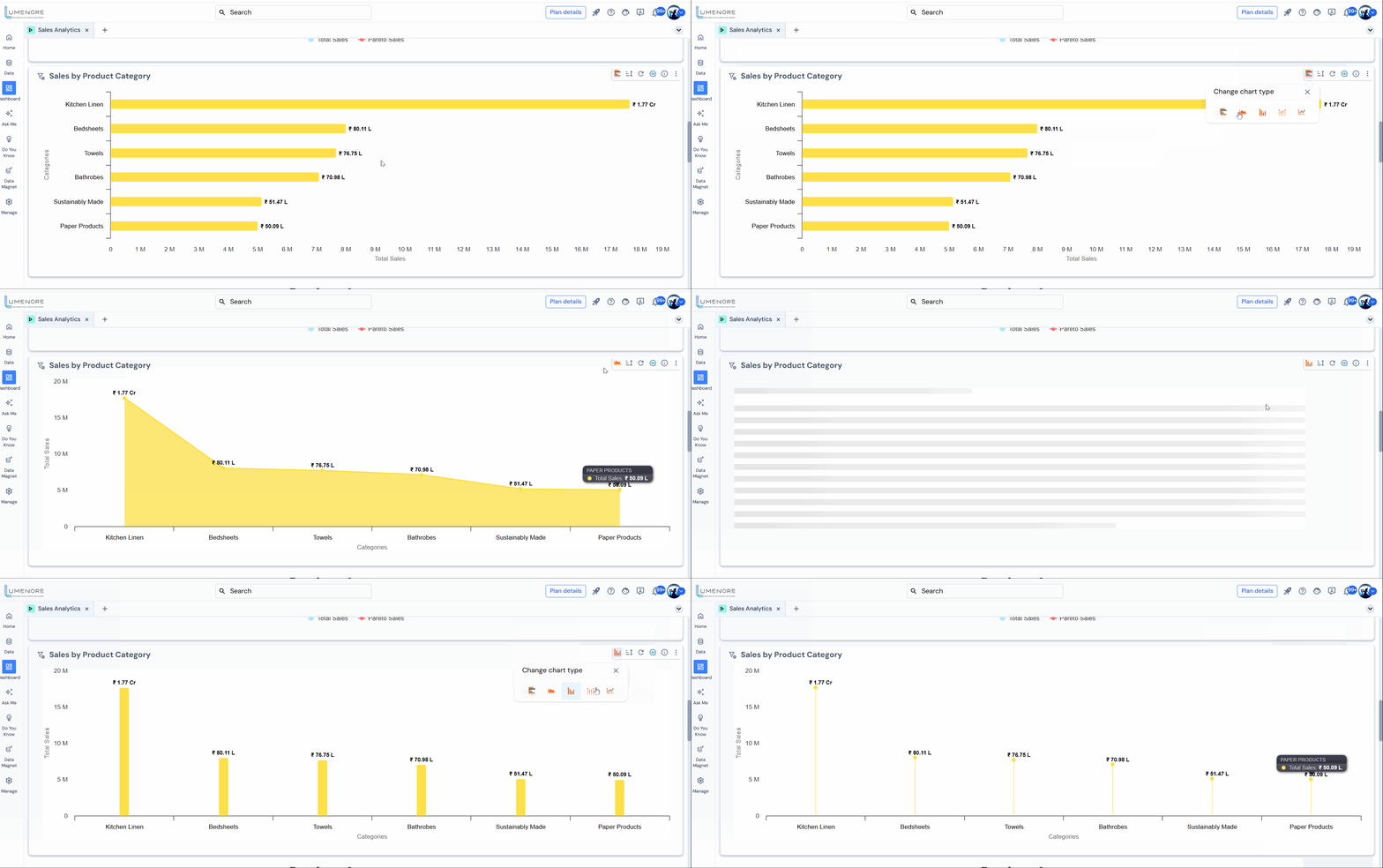
Export chart and change chart type
Export
The “Export” feature allows users to save or extract charts or visualizations in various file formats, facilitating sharing, archiving, or further analysis outside the original application. Common export formats include:
- PDF: Preserves the chart’s visual representation and layout, ideal for sharing and printing.
- Image (PNG, JPEG, etc.): Saves the chart as a static image for use in reports and presentations.
- Excel: Exports chart data for further analysis and manipulation in spreadsheet applications.
- CSV: Provides a plain-text format for easy data import and analysis in various tools.
Click on the three dots at the top right corner and select “Export” to export the chart.

Change Chart type
This feature allows users to dynamically switch between different visualization styles based on the data and the insights they wish to emphasize.
The dropdown below displays a list of chart types that can be selected, such as:
- Bar chart (vertical or horizontal)
- Line chart
- Column chart
- Scatter plot
- Area chart