MySQL
MySQL is a popular open-source relational database management system. With Lumenore’s MySQL Connector, you can retrieve data from your MySQL database and create custom reports. Simply specify the data you need by entering an SQL query. For more details about the MySQL API, visit their official site (http://dev.mysql.com/doc/refman/5.0/en/c-api.html).
Whitelisting
Before connecting to a MySQL database, you need to whitelist a set of IP addresses on your database server for the specific port you wish to use. To view the complete list of IP addresses, refer to Whitelisting IP Addresses for Database Connectors.
Steps to connect:
Step 1: Navigate to Home > Connect Data > MySQL.

Step 2: Click Create New Connection to set up a new connection or select an existing connection to proceed.

Step 3: Provide all the required details to establish the connection.
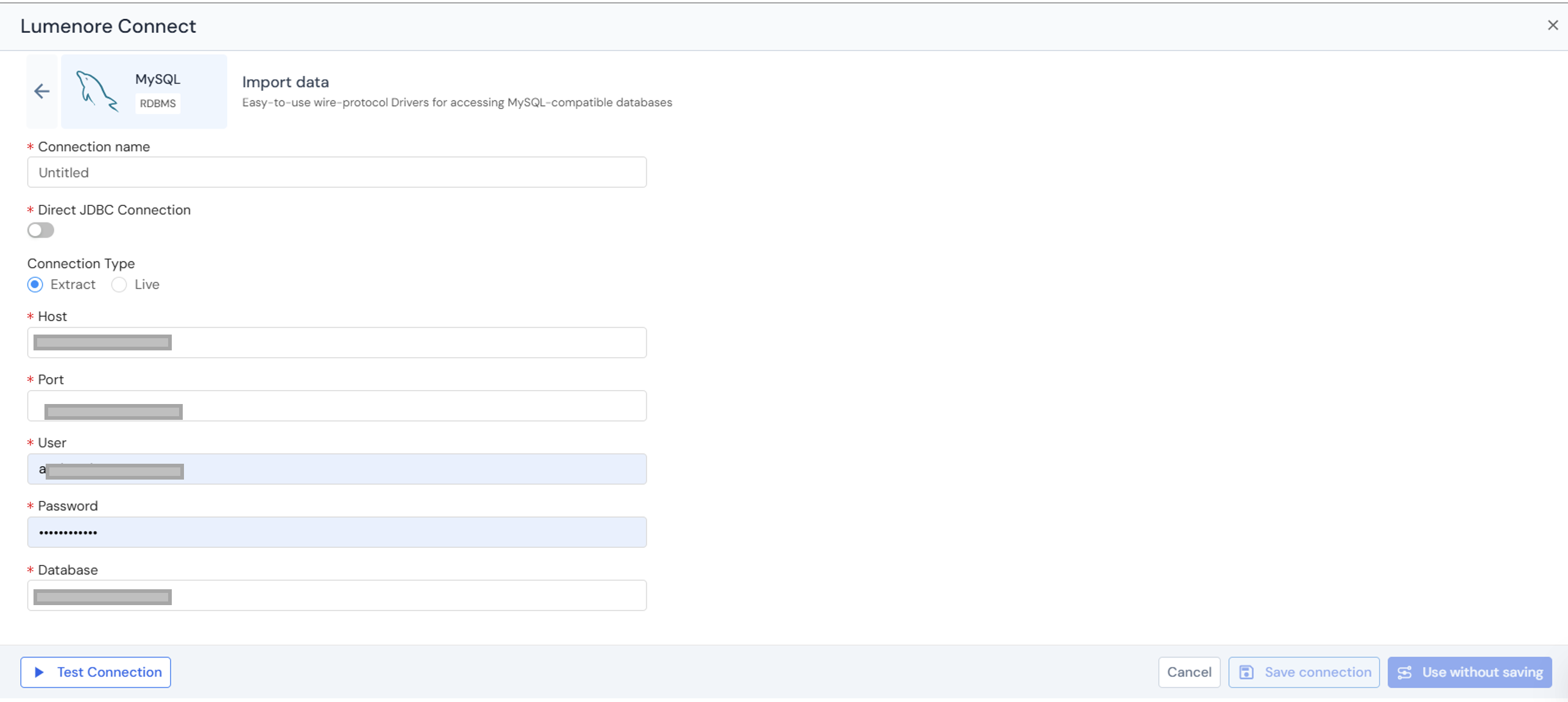
Step 4: After providing the details, click Test Connection. If the connection succeeds, a confirmation message indicates that the “Connection details are valid”; otherwise, an “Invalid connection details” message is displayed.
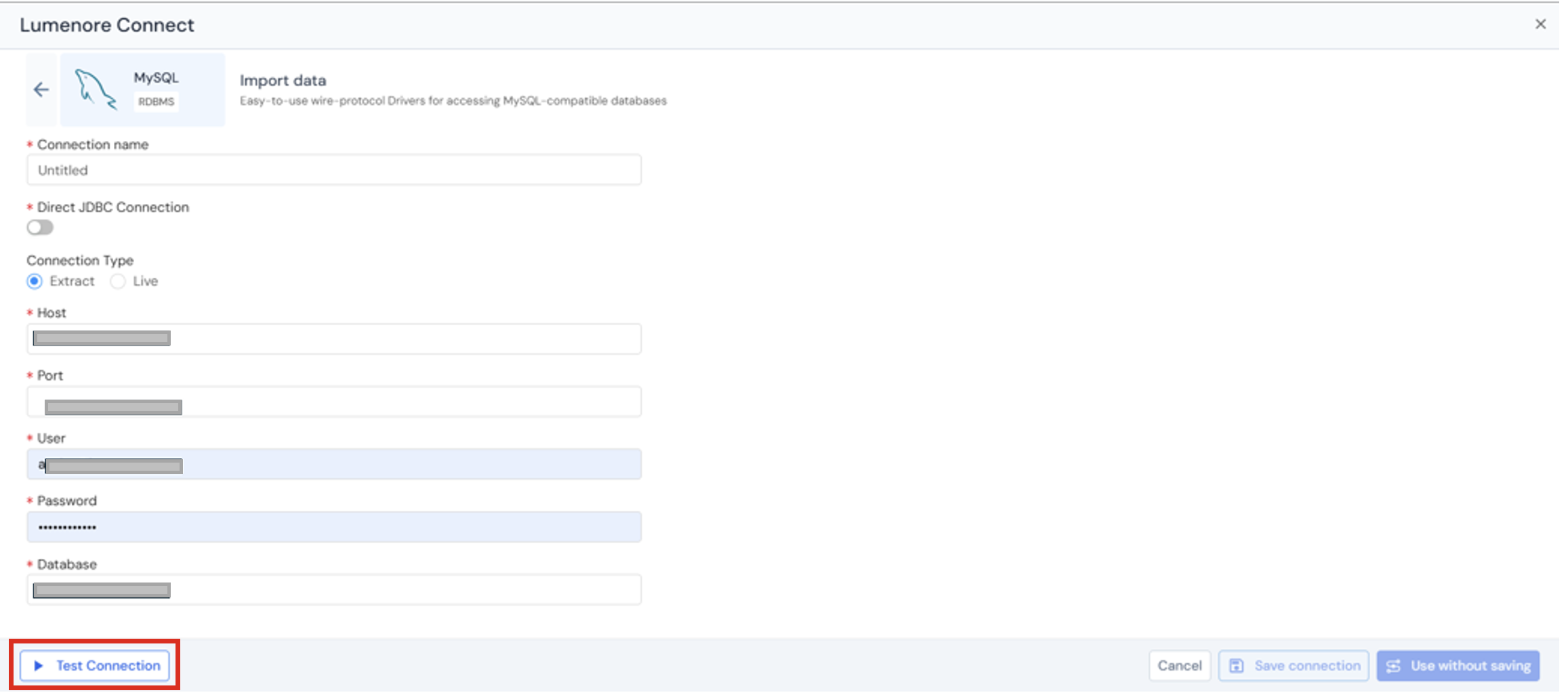
Step 5: The user can either save the connection or use it without saving.
Step 6: Once saved, the connection is added to the existing connections list and can be reused later.
Actions:
- When the user clicks the three dots under the Action column, the options Use This Connection, Modify, or Delete are displayed.
- Use Connection: Takes you to the next step to select a table.
- Modify: Allows you to edit the connection details.
- Delete: Removes the connection from the existing connections list.
Step 7: To use a connection from the existing connections list, select it and click Next.
Step 8: Select the table you want to export to the Lumenore database. You can also view the data by clicking the Preview tab.
The Preview tab lets you view table data, apply filters, adjust data capture, and perform transformations.
- Preview table data:
|Preview table data lets you quickly view a sample of records from the selected table before proceeding. - Filter data:
The Filter data section allows you to restrict the rows loaded from the selected table based on specific conditions. - Transform data:
The Transform Data tab below provides options for cleaning and enriching your data before loading it into the database. - Change data capture (CDC):
It is a technique for identifying and capturing only the data that has changed (new, updated, or deleted records) in a source system since the last data load.
Step 9: Click “Save Dataset” to complete data ingestion.
Step 10: Provide the Dataset name and description (optional). Click Ok.
Step 11: A “Dataset saved successfully” message is displayed. After this, the user can cancel and start using the dataset or create a schema by clicking the Create Schema option.
